
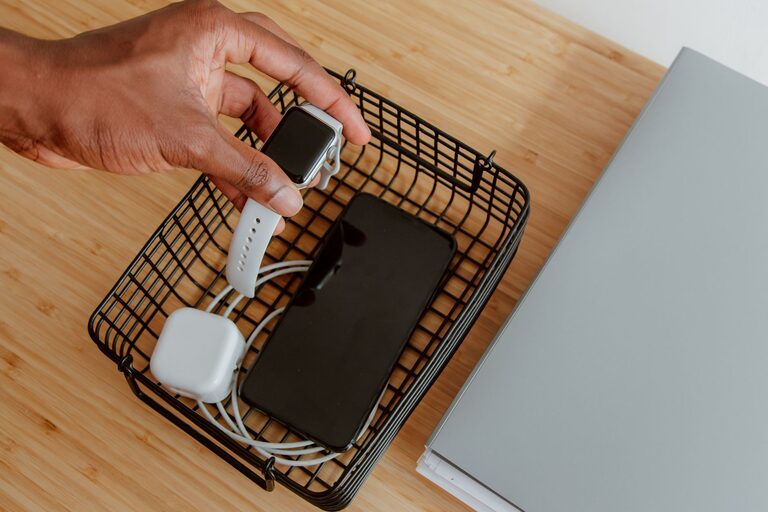
Setting up a dedicated charging station for your devices is a practical way to keep your gadgets powered, organized, and easy to find. Whether you have smartphones, tablets, laptops, or other rechargeable devices, having a centralized place for charging can reduce clutter and make your daily routine more efficient. In this guide, we’ll walk you through the steps to create a functional and safe charging station that fits your needs.
Why Create a Charging Station?
Before diving into the setup, it’s helpful to understand the benefits of a charging station:
– Organization: Keep all your devices in one spot, eliminating scattered charging cables.
– Safety: Avoid tangled wires and reduce the risk of damage to devices and cords.
– Convenience: Charge multiple devices simultaneously in a designated area.
– Aesthetics: Maintain a neat and tidy workspace or living area.
What You’ll Need
To build your charging station, gather the following items:
– Power strip or USB charging hub
– Charging cables for your devices
– Storage container or organizer (optional)
– Cable management tools (clips, ties, sleeves)
– Labeling tags or markers (optional)
Step 1: Choose the Right Location
Select a spot that suits your lifestyle and device usage. Popular locations include:
– Desk or home office: Ideal for work devices and daily-use gadgets.
– Living room: Convenient for family devices like tablets and e-readers.
– Bedroom nightstand: Great for charging phones overnight.
Make sure the location has easy access to a power outlet and enough surface space to accommodate your devices and charging equipment.
Step 2: Select a Power Source
Depending on the number and type of devices, choose a power source that meets your needs:
– Power strip: A traditional option with multiple outlets, suitable if you have standard chargers.
– USB charging hub: Allows charging multiple USB-powered devices simultaneously, often more compact and efficient.
– Wireless charging pad: For devices supporting Qi wireless charging, these reduce cable clutter.
Ensure the power source has surge protection to safeguard your devices.
Step 3: Organize Your Charging Cables
Cable management is key to a tidy charging station. Here’s how to manage your cables effectively:
– Use cable clips or holders: Attach to the edge of your desk or organizer to keep cables accessible without tangling.
– Velcro ties or twist ties: Bundle excess cable length to avoid loops and knots.
– Cable sleeves: Group several cables together for a clean look.
– Label each cable: Helps identify which charger belongs to which device, especially in shared spaces.
Step 4: Choose or Create a Holder for Devices
Depending on your setup, you may want to incorporate a device holder or stand:
– Multi-device charging dock: Commercial products built to hold and charge multiple devices.
– DIY organizers: Use boxes, trays, or repurposed items with compartments.
– Vertical stands: Save desk space by holding phones and tablets upright.
The goal is to keep devices visible and accessible while charging.
Step 5: Set Up and Test Your Charging Station
Now that you have your components ready, follow these steps:
- Plug the power strip or USB hub into the wall outlet.
- Connect your charging cables to the power source.
- Arrange the cables using your chosen management tools.
- Place your devices on the holder or organizer.
- Connect devices and confirm they are charging properly.
Adjust the arrangement as needed for comfort and stability.
Tips for Maintaining Your Charging Station
To keep your charging station efficient:
– Regularly check cables: Replace any frayed or damaged cords.
– Avoid overloading outlets: Follow manufacturer guidelines on power load.
– Keep the area clean: Dust and wipe down the station periodically.
– Update chargers: Use chargers compatible with your latest devices for faster charging.
Additional Features to Consider
If you want to enhance your charging station, consider adding:
– Smart plugs: Control charging times remotely to save energy.
– Built-in USB ports: Embedded in desks or furniture for a seamless look.
– LED indicators: Show charging status at a glance.
– Portable batteries: Keep power banks charged nearby for travel readiness.
Conclusion
Creating a charging station is a smart and simple way to keep your devices powered up and your space organized. By choosing the right location, power source, and cable management tools, you can enjoy a clutter-free area that meets all your charging needs. Whether for your home, office, or shared spaces, a well-planned charging station makes daily device use more convenient and enjoyable. Take the time to customize your setup so it fits your lifestyle perfectly!